

Figma • Adobe Creative Suite • Design Lead • SAFe Agile
Goal
OWL (Operations Watch List) is a mobile app delivering real-time operational insights and alerts to help hospital leaders make decisions on the go. Slow performance, redundant information, and underused alerts were limiting adoption.The goal was to redesign OWL into a faster, more actionable mobile experience.
Objective
Improve performance, simplify information architecture, and activate alerts and notifications to help hospital leaders make faster, more informed decisions within a six-month design and development timeframe.
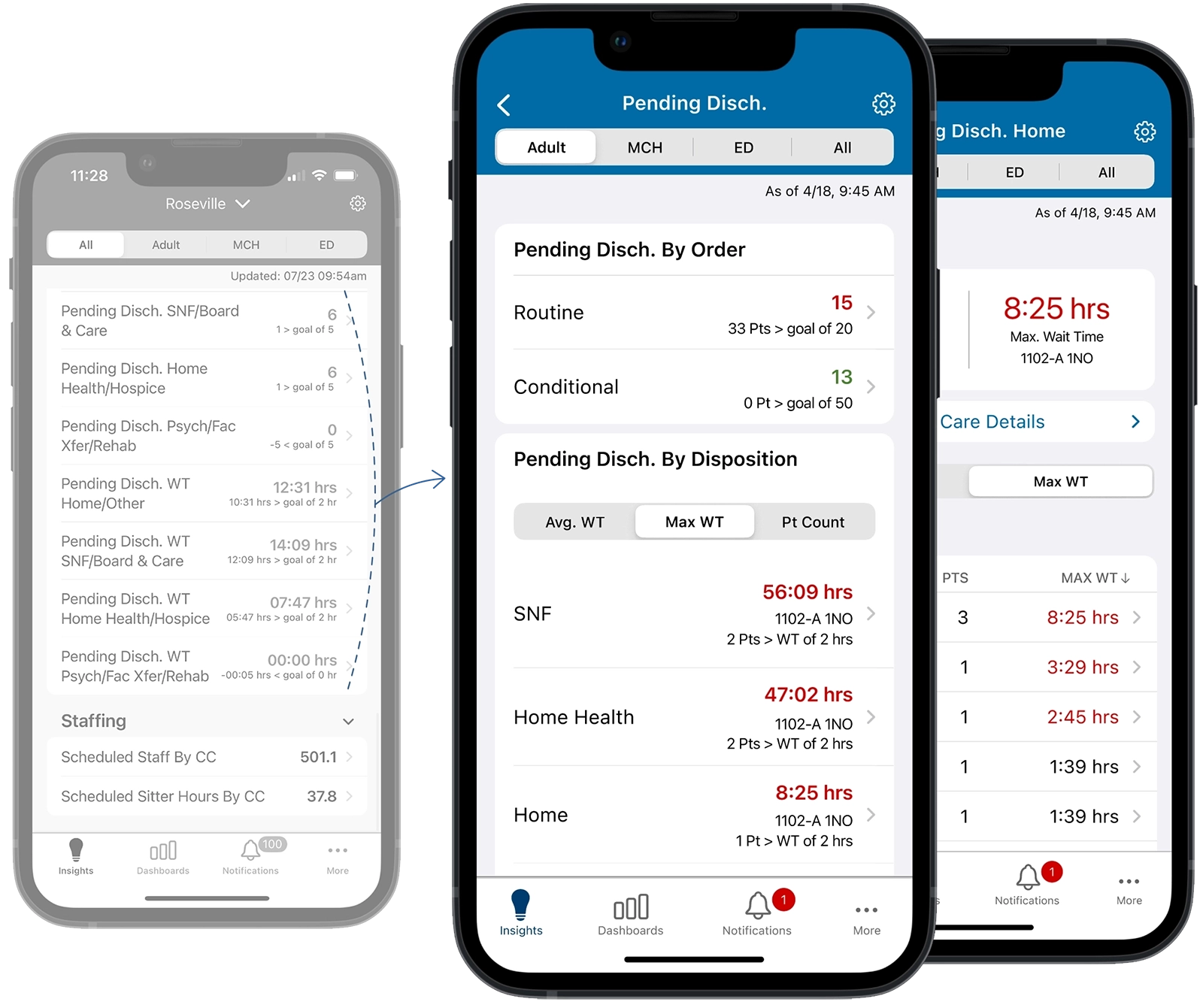
Problem: The app presented a long, unorganized list of discharge insights, making it difficult for users to connect related information and quickly understand patient flow.
Solution: Reorganized the insights into a unified, category-based dashboard, grouping related metrics together for easier analysis and faster decision-making.
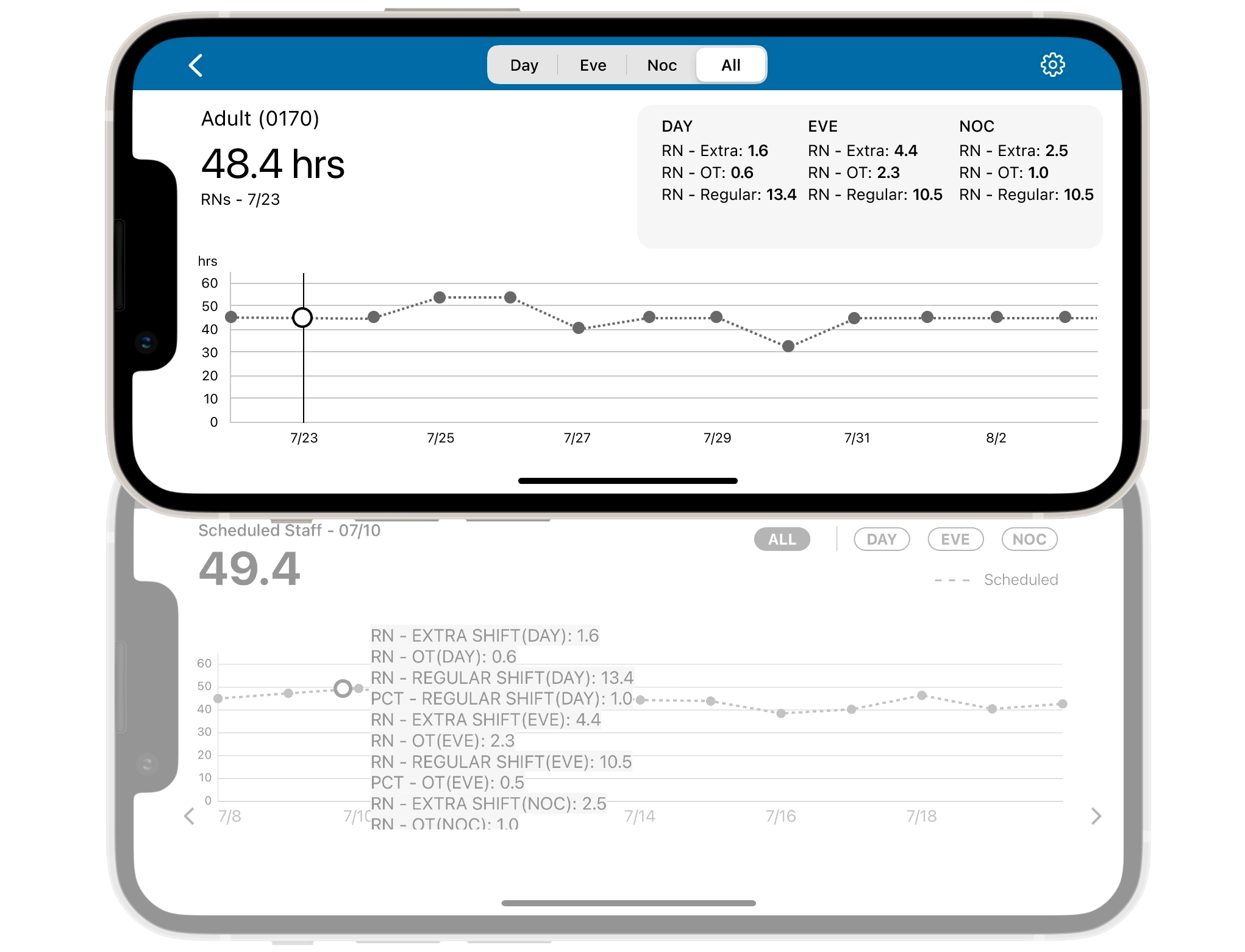
Consolidated historical, live, and predictive staffing data into one continuous timeline, replacing fragmented, truncated views with drag-to-navigate interaction for a clearer view of staffing trends.
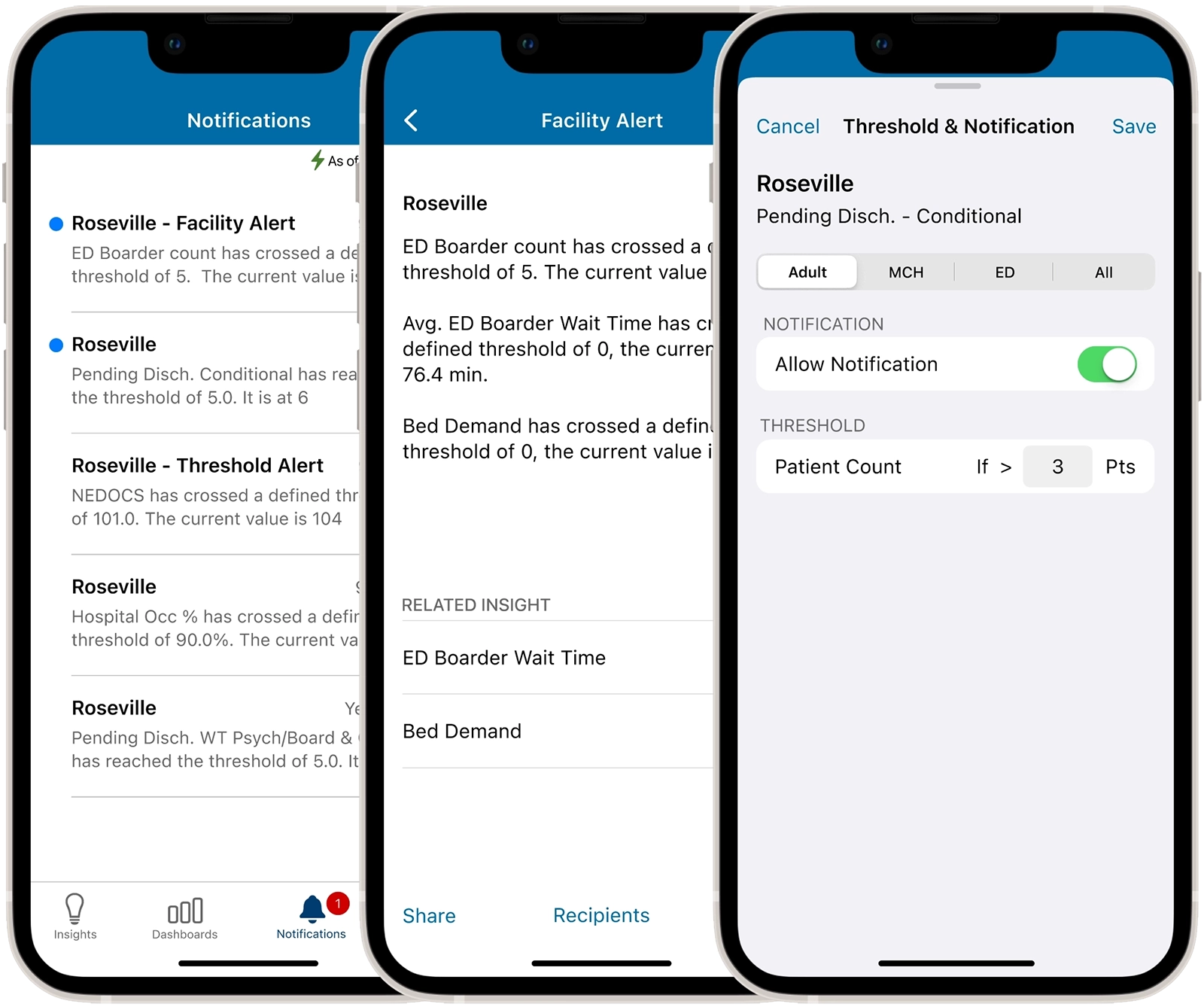
Problem: Users received too many alerts with limited information to take action, leading to alert fatigue and causing important notifications to be overlooked or ignored.
Solution: Redesigned alerts to deliver more relevant department metrics with enough context to support faster action and response.
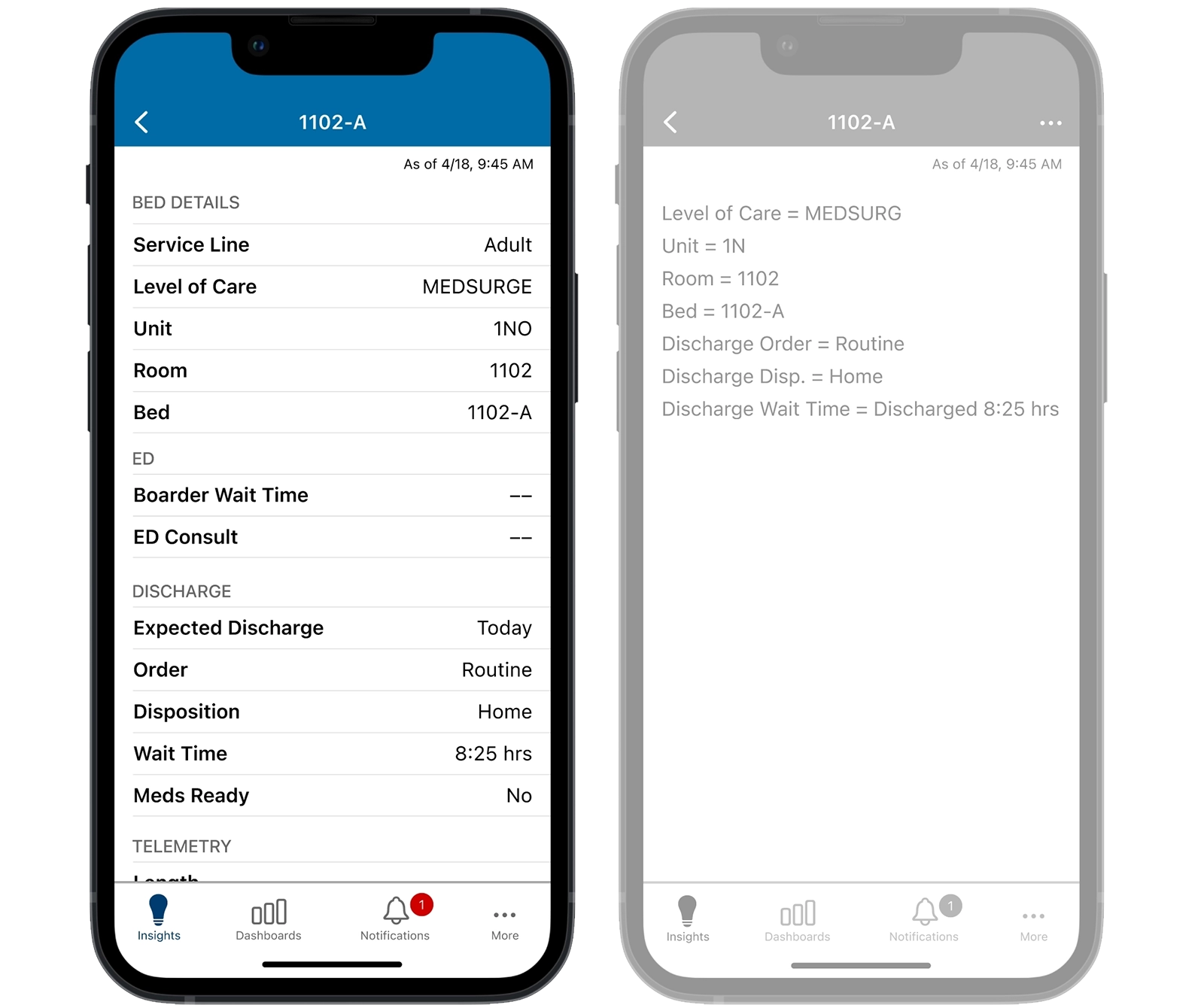
Problem: The existing bed details view was difficult to scan and lacked a consistent, scalable way to present patient insights.
Solution: Redesigned the view to provide a clear, readable overview of patient insights while protecting PHI, with a flexible structure that could scale as new insights were added.
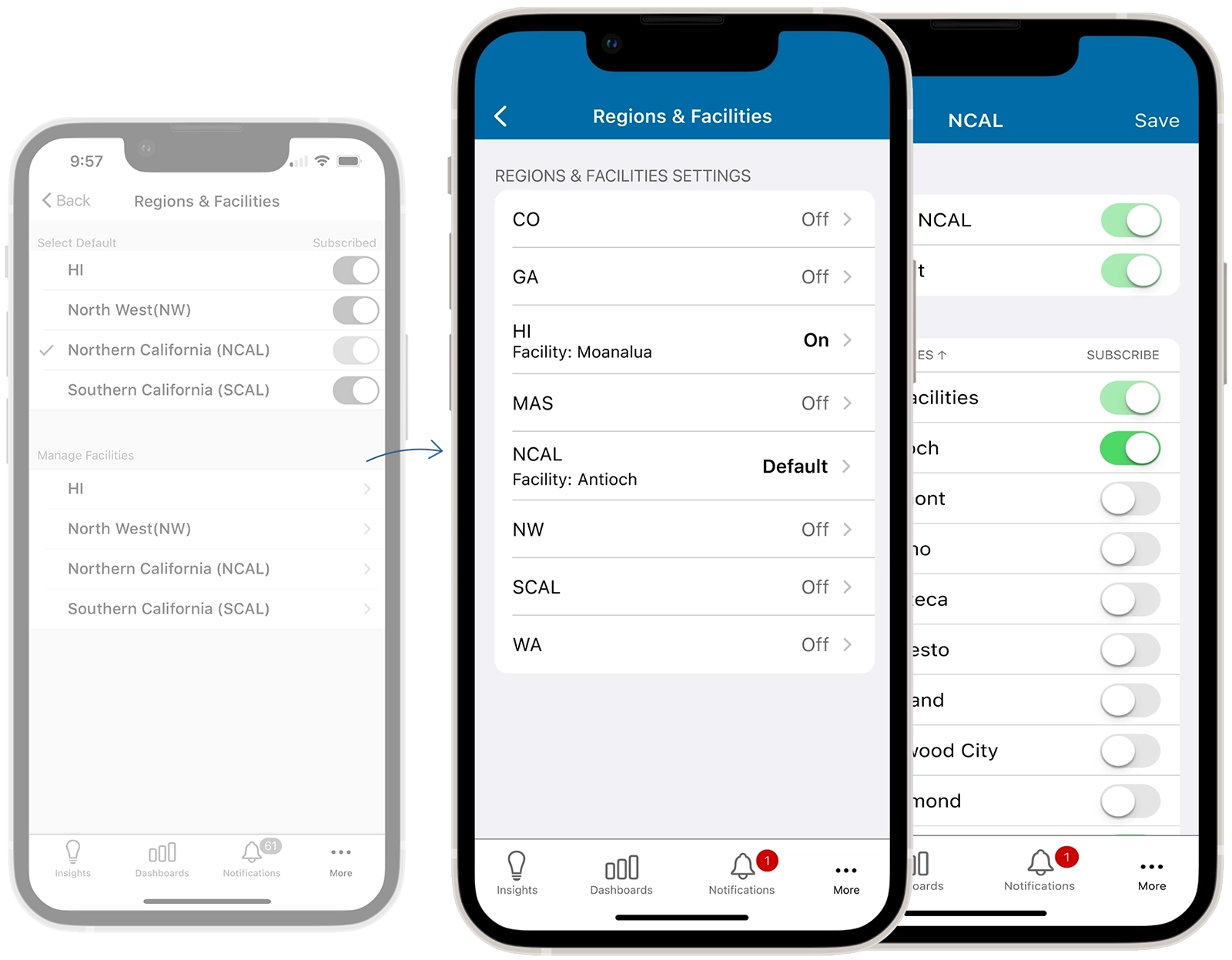
Problem: Managing regions and facilities required multiple steps across screens that weren't necessary, making the workflow confusing and difficult to follow.
Solution: Consolidated the workflow and removed unnecessary steps, creating a clearer, more efficient experience for managing multiple regions and facilities.
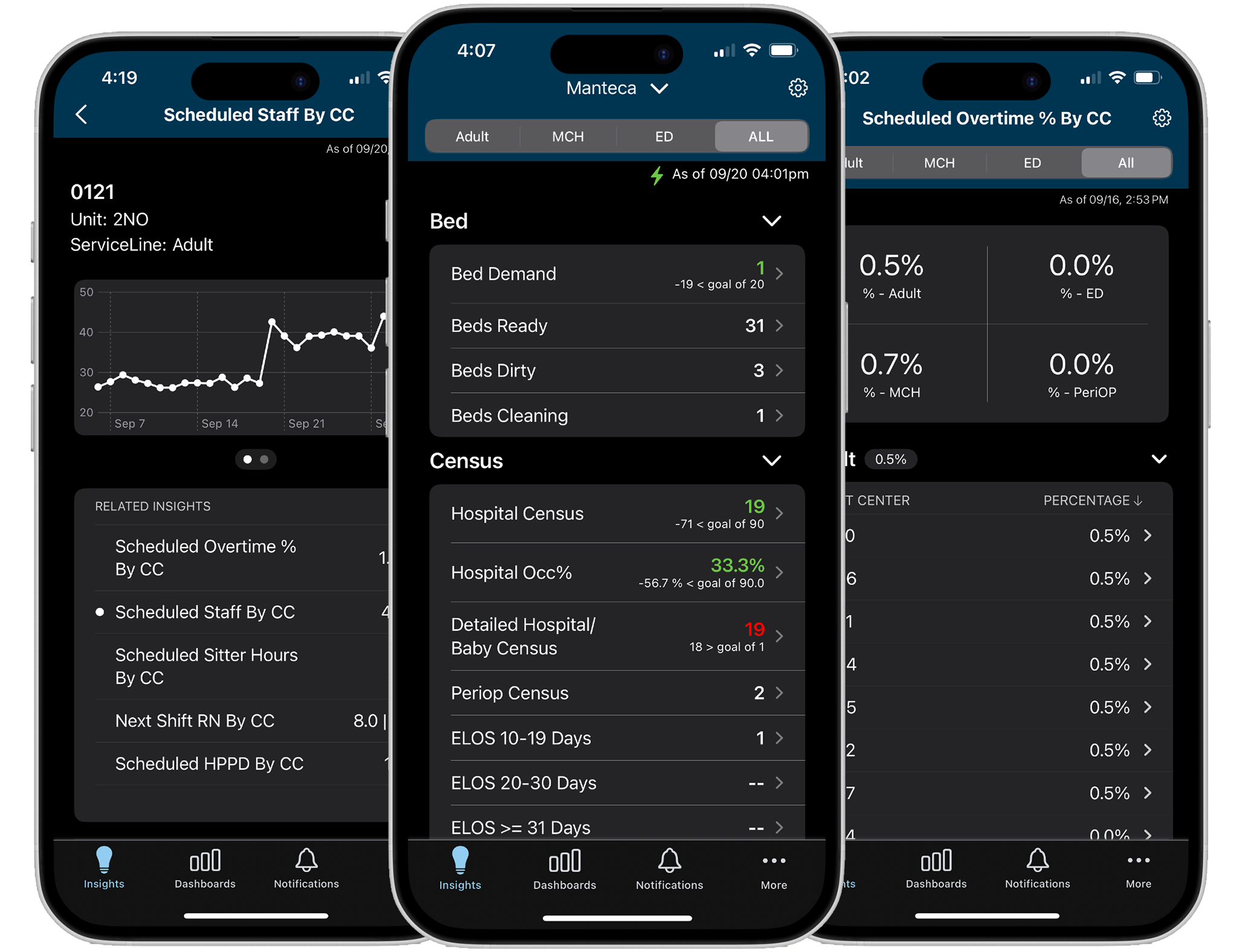
Designed a dark mode for dim clinical environments, reducing screen brightness and minimizing disruption to patients’ sleep while maintaining readability of critical information. The enhancement was well-received by staff.
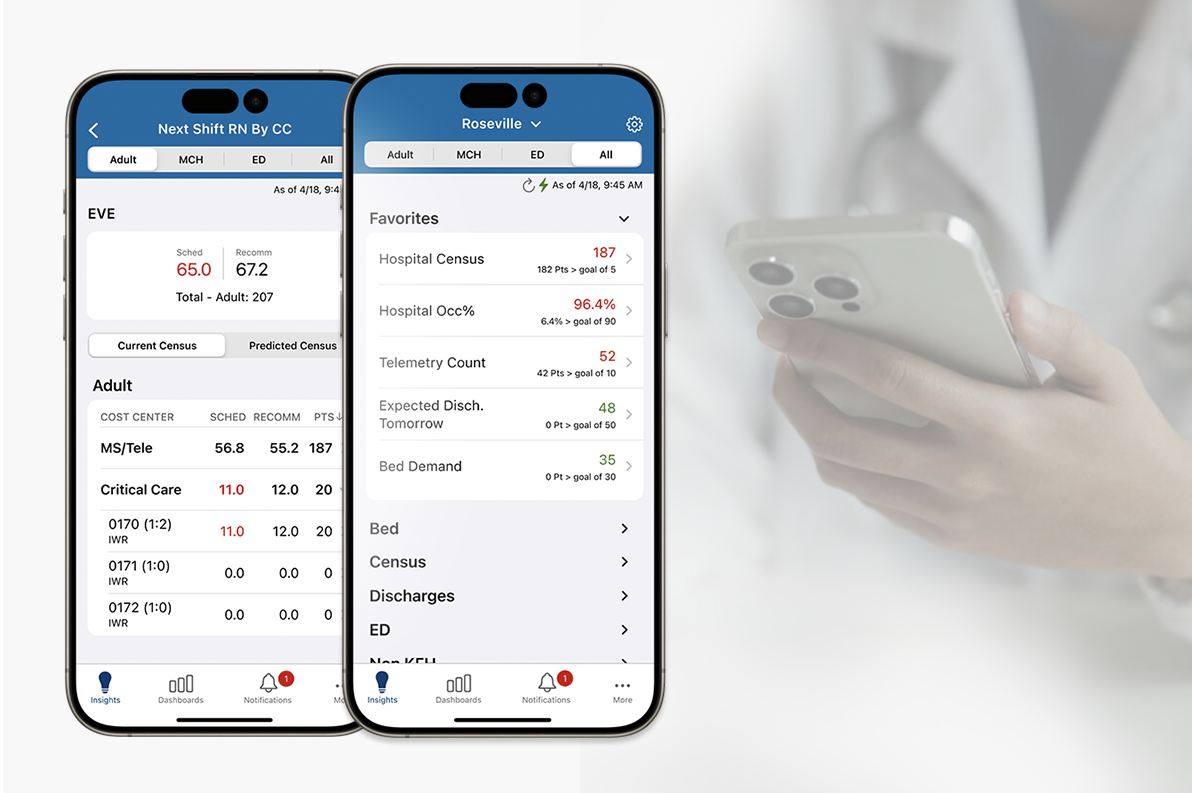
The OWL redesign improved performance, reduced redundant insights, and activated alerts and notifications, giving hospitalists a faster, clearer tool for managing throughput and supporting more efficient staffing.